
QuickBooks POS v10.0, 2013 (v11.0), and v12.0
Steps to follow when troubleshooting multi-store mailbag exchange issues:
- Check the Multi-Store Company Preferences section to ensure that stores are set up properly:
- Choose File > Preferences > Company.

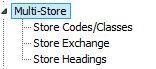
- Select each of the sub preferences under Multi-Store and inspect the information in the right side to ensure it is correct. Change information as needed.
- Click Save.
- Choose File > Preferences > Company.
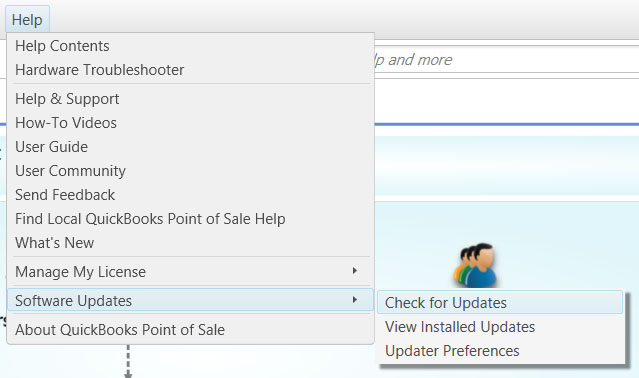
- Update all copies of Point of Sale at all stores to the most current release.
- At the Headquarters store:
- Minimize or close Point of Sale.
- Search for files using the file name of *.qbt.
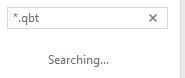
- Right-click on any *.qbt, files found, choose Delete and confirm the deletion.
- Close the Search Results screen and empty the Recycle Bin.
- Perform Steps 3a through 3d for all Remote Stores.
- At the Headquarters store:
- Maximize or Open Point of Sale.
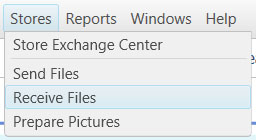
- Choose Stores > Send Files.
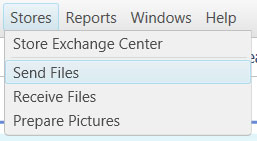
- Send the mailbag (*.qbt file) to the Remote Store(s) and then click Close.
- At the Remote Store(s):
- Choose Stores > Receive Files.
- Locate the Headquarters mailbag and Process In.
- Choose Stores > Send Files.
- Send the mailbag (*.qbt file) to the Headquarters store and then click Close.
- Choose Stores > Receive Files.
- Process in the Remote mailbag at the Headquarters store:
- Choose Stores > Receive Files.
- Locate the Remote mailbag and Process In.
- Choose Stores > Receive Files.
- Perform another Store Exchange between the Headquarters and Remote Store(s).
- Reset the password at each location. Make sure the passwords are identical. Misspellings of any kind, including case, will cause an error.
- Run Point of Sale in compatibility mode (Windows 7 only):
- Close Point of Sale.
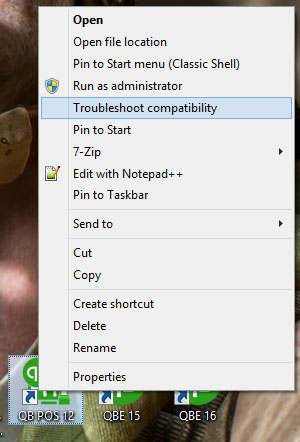
- Right-click the Point of Sale icon on your Desktop and choose Troubleshoot compatibility.
- Select Troubleshoot Program.
- Try recommended settings.
- Start Point of Sale.
- Perform another full cycle of exchanges started by sending from Headquarters. Send then receive files at each location to ensure the issue has been resolved.