
When running a financial exchange with QuickBooks, the following message is returned:
Error: Voucher (or Sales Receipt) #XXX created on MM/DD/YYYY was skipped from processing. Document date is earlier than QuickBooks Closing Date preference.
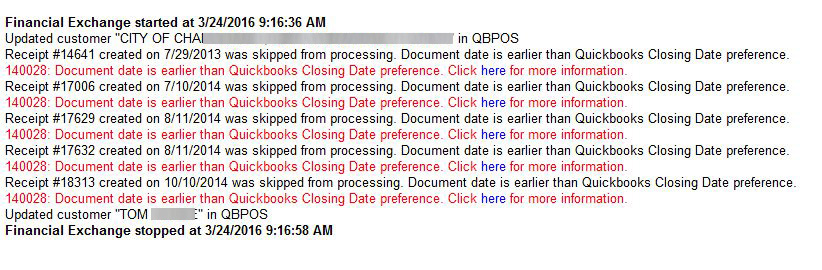
Why this is happening
A transcation was dated in Point of Sale for a date prior to the Closing Date in QuickBooks.
How to fix it
To resolve this issue:
- Open QuickBooks and Point of Sale on the Point of Sale server computer.
- In QuickBooks, create a backup of your company data file.
- Select the Edit menu and select Preferences.
- Select the Accounting preference and click the Company Preferences tab.
- Click Set Date/Password and clear the Closing Date field.
- Click OK and click OK again.
- In Point of Sale, run a financial exchange. The error should not recur.
If the error still persists, mark the voucher as sent to QuickBooks through Point of Sale:
- Open QuickBooks and POS on the POS server computer.
- From POS, click on the Purchasing menu at the top.
- Click on Receiving History and then double click on the voucher.
- Click on the I want to… button .
- Click View Financial History button and then check the box that says: Mark this document as successfully sent.
- Do another financial exchange and verify that the error no longer appears in the activity log.