
Use the Home Screen
The Point of Sale Home Screen provides easy access to common tasks, reports, preferences, and more. To return to the Home Screen at any time, click the Home button, located at the top left of all Point of Sale task windows.
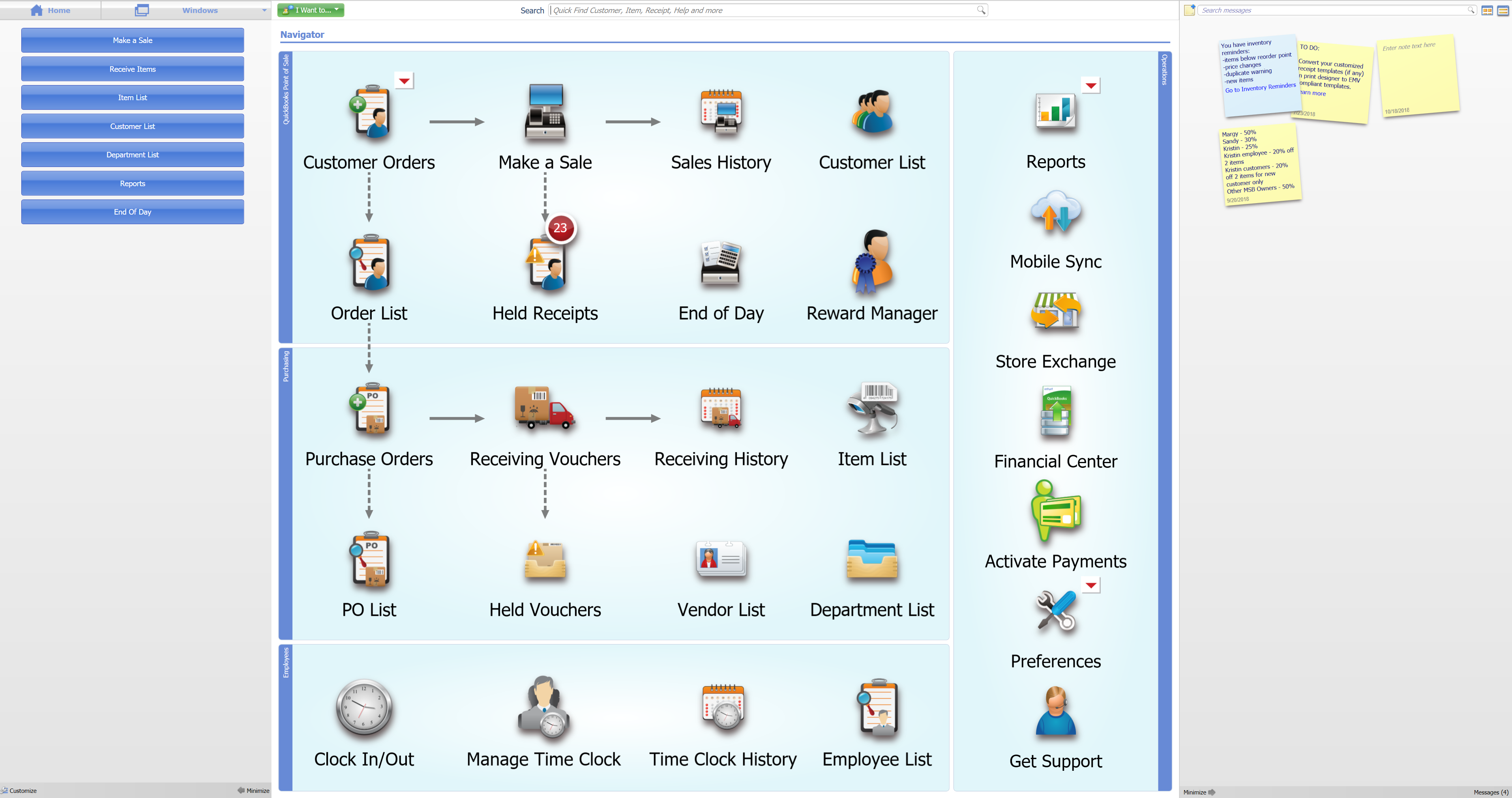
The main features of the Home Screen include the following:
- Navigator – The The tasks and workflows on the Home Screen Navigator reflect how you use Point of Sale to run your business. To begin any task, or to open a feature, click its icon.
- The Windows drop-down menu (at the top left of the Home Screen). The Windows drop-down menu shows a list of recently visited windows and in-process tasks. To continue working in a particular window, click the Windows drop-down arrow and select it.
- Task buttons (to the left of the Navigator). As you move to different tasks within Point of Sale, these buttons change to give you easy access to related tasks and features. To add or remove task buttons, right-click anywhere in the section and click Customize buttons.
- The Message Board (to the right of the Navigator). Use the Message Board(See 3.3) to leave notes to yourself or other employees. Point of Sale also posts messages, such as inventory reminders, when something needs your attention. To find a specific message, enter a search term in the Search messages field.
You can also:
- Click the menus at the top of the screen to perform additional tasks.
- Use the Quick Find (See 3.4.8) Search field at the top of the Home Screen to find a customer, item, or sales document.
- Click the cloud icon to sync to Mobile, set sync preferences, and see your activity.
- Click the monitor icon at the top right to expand your screen view. Click again to decrease the view.
Note: The icons and activities available on the Home Screen will vary depending on the level(See 19.9.6) of Point of Sale you have purchased, the features you are using, and your assigned security rights(See 13.1).
Note: If you turn off a feature in company preferences(See 18.4), the related menu choices and icons are removed from the Home Screen.