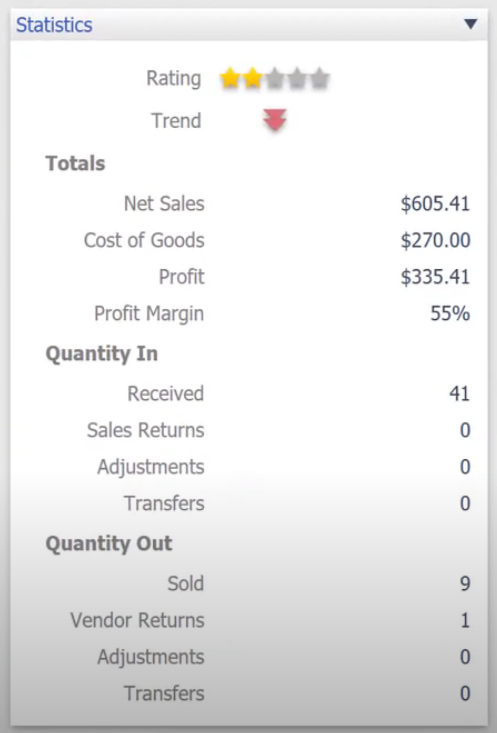
Today we’re going to talk about the item statistics. These are very helpful and useful for you to get an eye on what your different items are doing, with just a quick snapshot you can easily tell things about your item whether you want to reorder it or whether you want to do more things about the item.
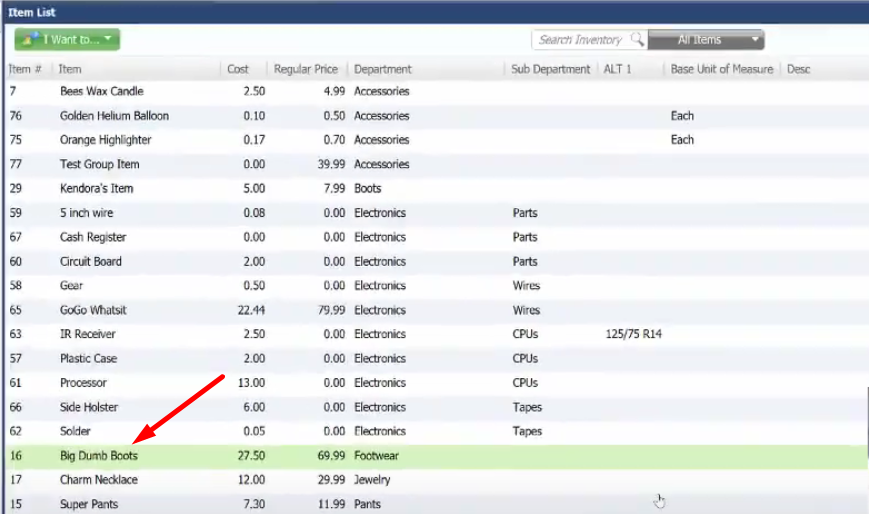
- By going to the Item list on the home screen of QuickBooks Point of Sale, select the item that you want to look at the Item Statistics.

- After selecting the item, click on the “Show Details” button on the upper right side of the screen.
- On the Item Detail window, you can quickly look at the Item Statistics of your item. For this item you can see that it’s at a 2 star rating. The trend is going down since out of 41 items only 9 was sold and looking at the profit margin, it’s only at 55%. So by just quickly looking at the Item Statistics you can evaluate the performance of your items quickly.