
Let’s discuss about the ability of QuickBooks Point of Sale to integrate with an email program. It can automatically put your customers into an email service where you can send out coupons, monthly newsletters or send out a mass email for advertising and promotions.
Here’s how:
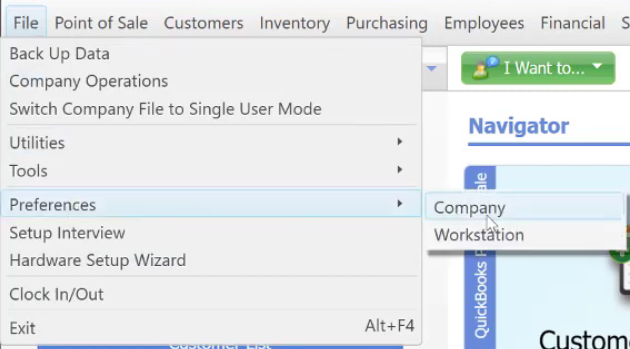
- Go to “File” menu → “Preferences” → then click “Company”.
- On the “Customers” section, you can see the “E-mail Marketing” area.
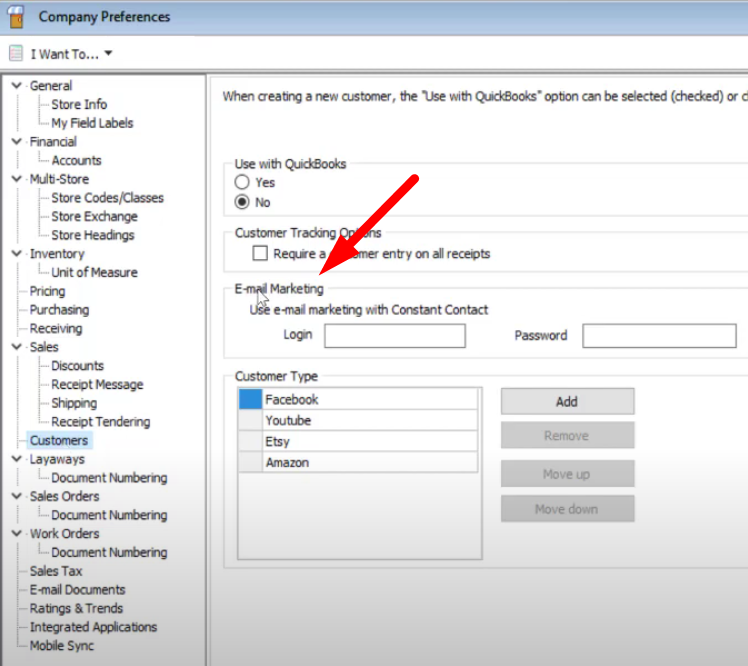
- Login your Constant Contact Account. *Requirement: Constant Contact Account*

- Constant Contact – is an email service provider that offers email marketing or bulk email services.
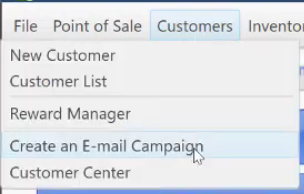
- Once logged in to Constant Contact, go to “Customers” menu → then click “Create and E-mail Campaign”
- Click “Next” then select with type of customers you want to send an email.
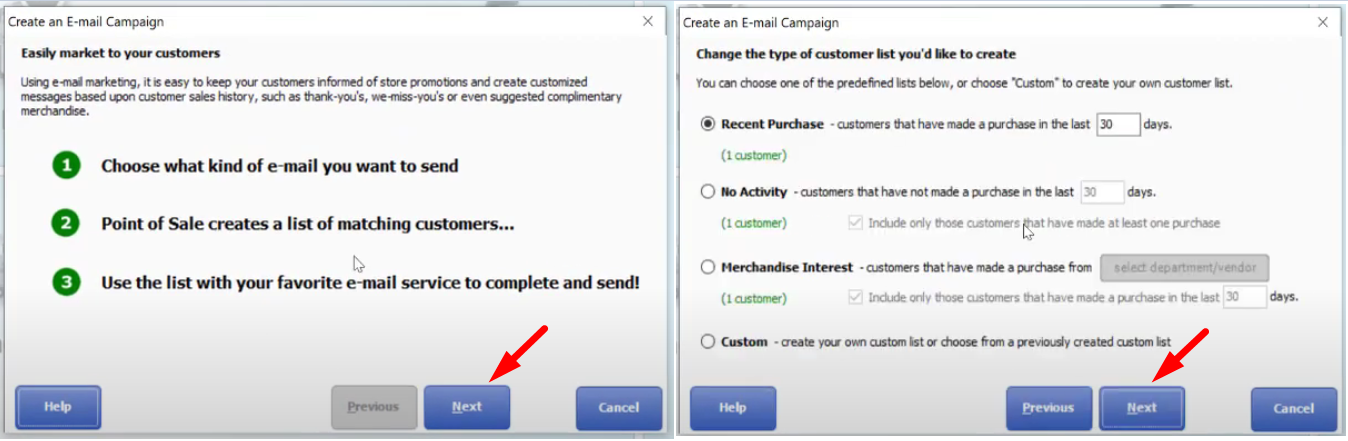
- For a more specific type of customers you want to reach out, select “Custom” then click “Next”.

- Custom – for a customized type of customers that you want. Choose
- Send blast emails for promotions, newsletters and coupon codes. This will be a good sale driver.