
Today we are going to cover on how to add a time clock entry for an employee.
Here’s how:
- On the main screen at the bottom of the page you will see the “Time Clock History” icon.

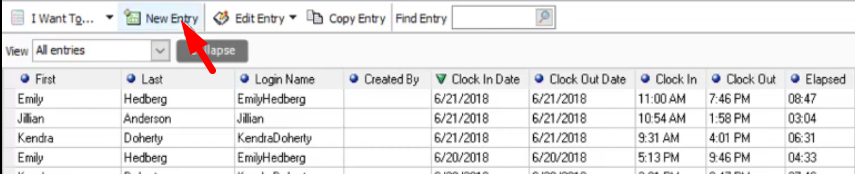
- Click on the “New Entry” button.
- Select an employee by clicking on the drop down button.

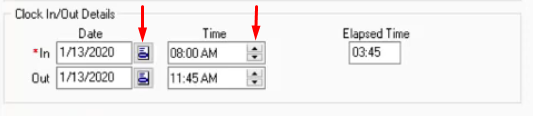
- Enter the date and time of your employee’s beginning shift and ending shift.
- When you’re done, click on “Save”.