
Today we will talk about a particular problem that most customer face and that is when they have to make an exchange in the point of sale. Exchange is when a customer brings back a product and at the same time they’re going to return the item and purchase a new one using one receipt.
Here’s how:
- On your main screen, click on the “Sales History” icon.

- Select on the sale/receipt and view the details. Take note to check on the bottom if the item was given a global discount. If you have given a global discount on the item then you do not want to have the item exchanged.

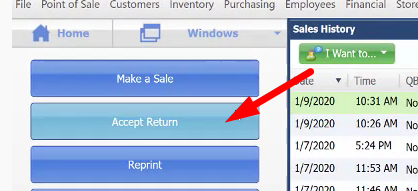
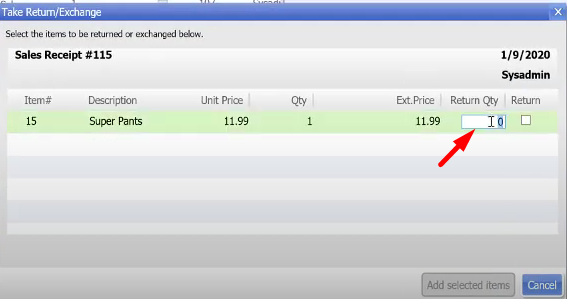
A global discount is a discount that shows up on the whole receipt and not per item. - Next is click on the “Accept Return” button and place the quantity of item that will be returned. Then select “Add selected items”.
- Once you have returned the item, you can now add the item that wants to be exchanged. Make sure that the item being exchanged does not have the global discount.
