
Today we will talk about on how to know when you are going to set up a discount, when discounts conflict with each other and on how to fix the conflicts.
Here’s how:
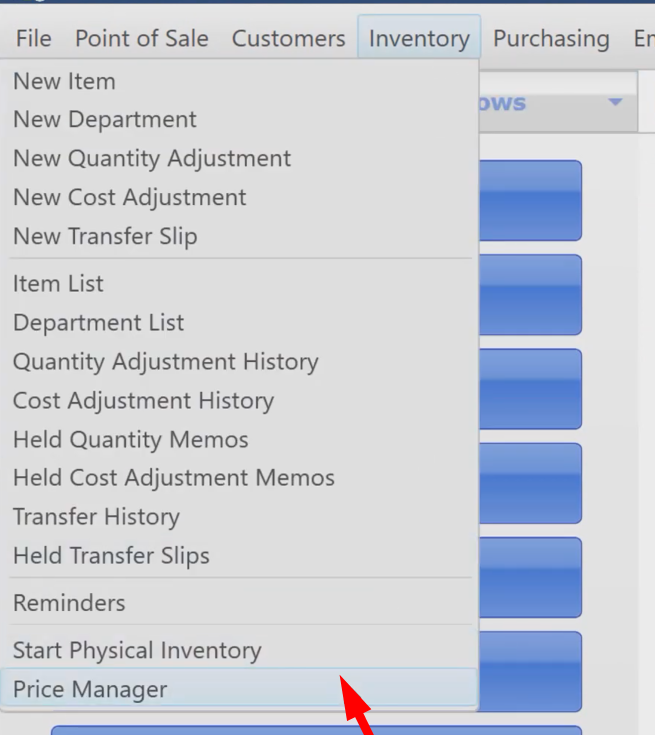
- On the main screen, click on the “Inventory” menu and select “Price Manager”.
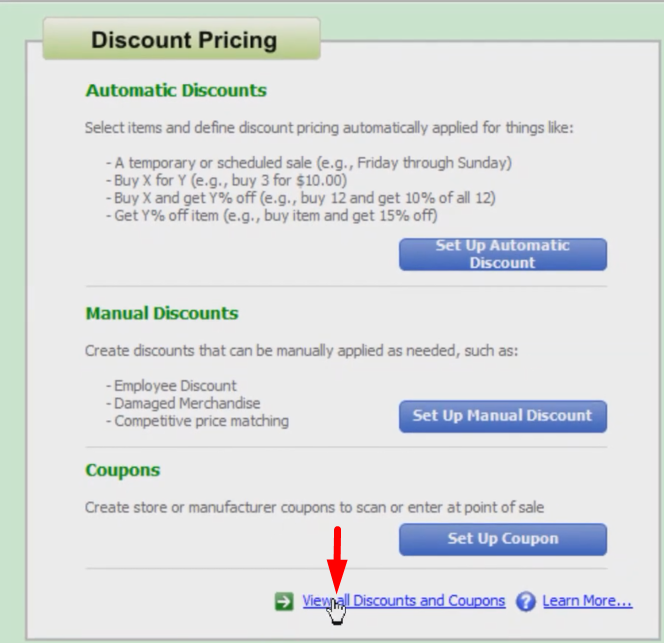
- Click on the “View all Discounts and Coupons”.
- On the screen you will see the list of discounts and coupons.
Reminders: On the far left side, you will see a couple of yellow and blue icons. Yellow exclamation icons mean you have the same item or a number of items in two different discounts that are simultaneously active. Blue Shield is also a warning that means you have the same items on several different discounts but are not active simultaneously. Remember that a schedules discount takes priority and is applied over an unscheduled discount, also the one that with the later start date is going to take priority when it is applied.

- Fix the dates of the discounts that have conflicting schedules especially those with the yellow and blue icons.