
Today we are going to talk about giving a global discount.
Let’s begin:
What is a Global Discount? – Global discount is when you either give a percentage off or a dollar amount off of your entire receipt.
We will show you an example on making a global discount:
- On your Home screen, go to “Make a Sale”.
- On your Sales receipt screen, choose a few different items.
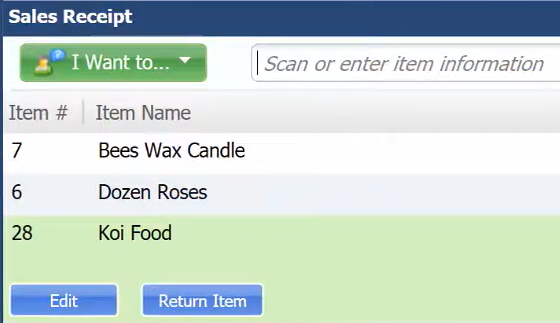
- On the blue buttons, select “Give Discount”.

- Give discount is your global discount. This will give your entire receipt a discount.
- Price and Discount screen will appear (For example, you want to give a $10 Discount amount). After you enter a discount, select “Close”.
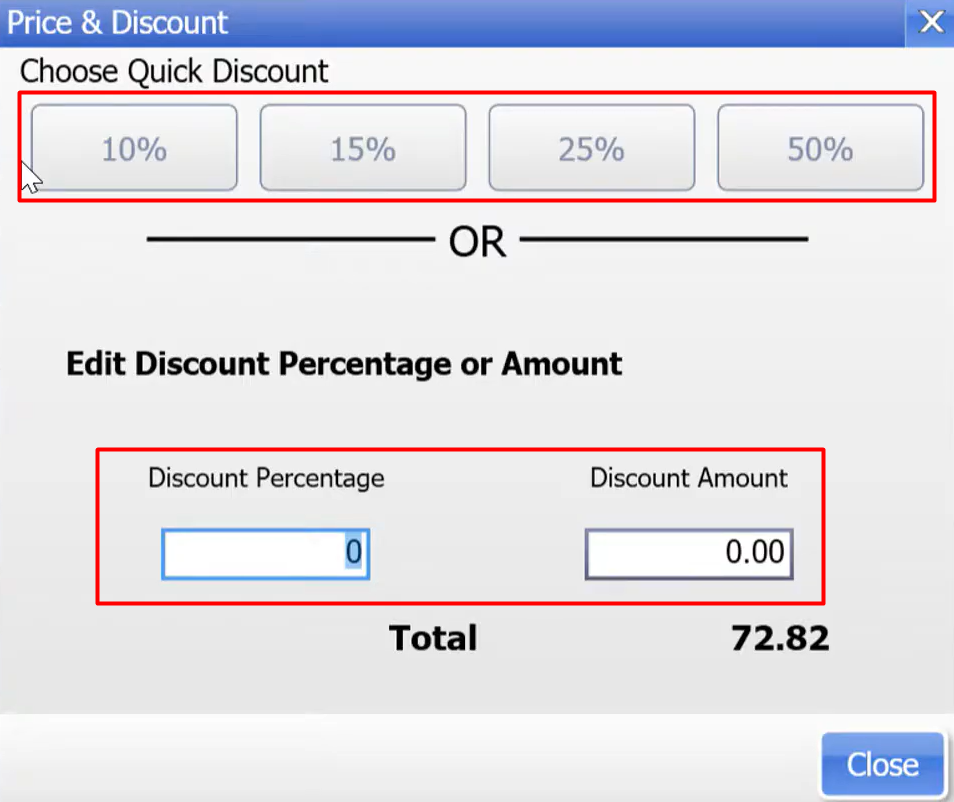
- Choose Quick Discount – you can choose a fix discount for your receipt.
- Edit Discount Percentage or Amount – you can put here the exact percentage or amount you want to give on the receipt.
- You will see a $10 discount is deducted to your total.

- You have now successfully added a Global Discount on the entire receipt.