
Today we will talk about how will you Hold your process in receiving a receiving voucher or receiving your product.
Let’s begin:
- First, make a receiving voucher.
- Go to “Receiving Voucher”. Select your vendor and items. (For example, your vendor is Sweet Merch and your items are Charm necklace and a shirt)
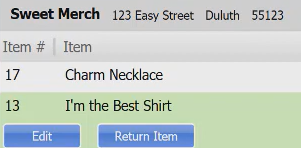
- Go to “Receiving Voucher”. Select your vendor and items. (For example, your vendor is Sweet Merch and your items are Charm necklace and a shirt)
- Now, if you a customer on your store and you need to hold your voucher for a while.
- On your lower right corner of the screen, select “Put on Hold”.

- On your lower right corner of the screen, select “Put on Hold”.
- After you put your voucher on hold you can now entertain your customer and go back to your homepage to make a sale.
- Now, if your done with your customer and you want to go back to your voucher that you put on hold.
- On your Homepage, go to “Held Vouchers”.

- On your Held Vouchers, select “View” Held Vouchers.
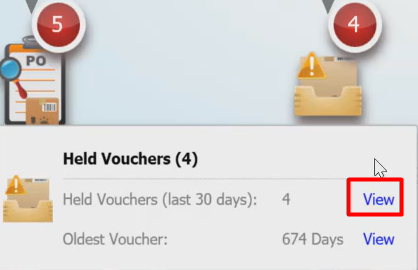
- Find the Vendor you put On Hold, then select “Details” then select “Unhold” on the upper right corner of the screen.
- You are now back to your Voucher screen.
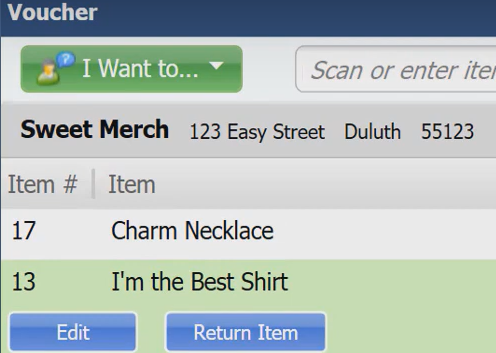
- On your Homepage, go to “Held Vouchers”.