
Let’s do a quick walkthrough on how to check and install the driver for our Lane 5000 Pin Pad.
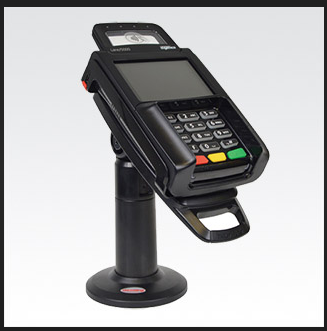
Here’s how:
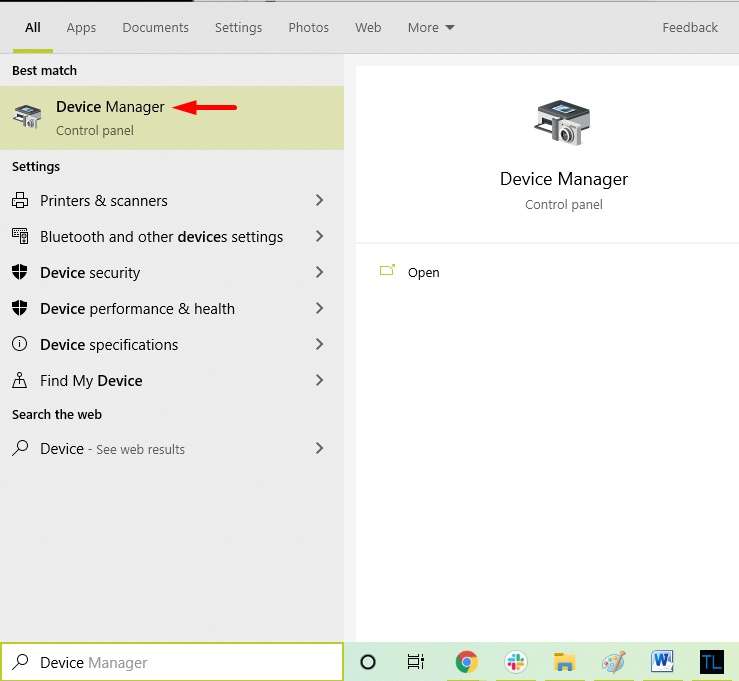
- Go to the Device Manager in your PC by typing “Device Manager” in your Windows Search Bar.
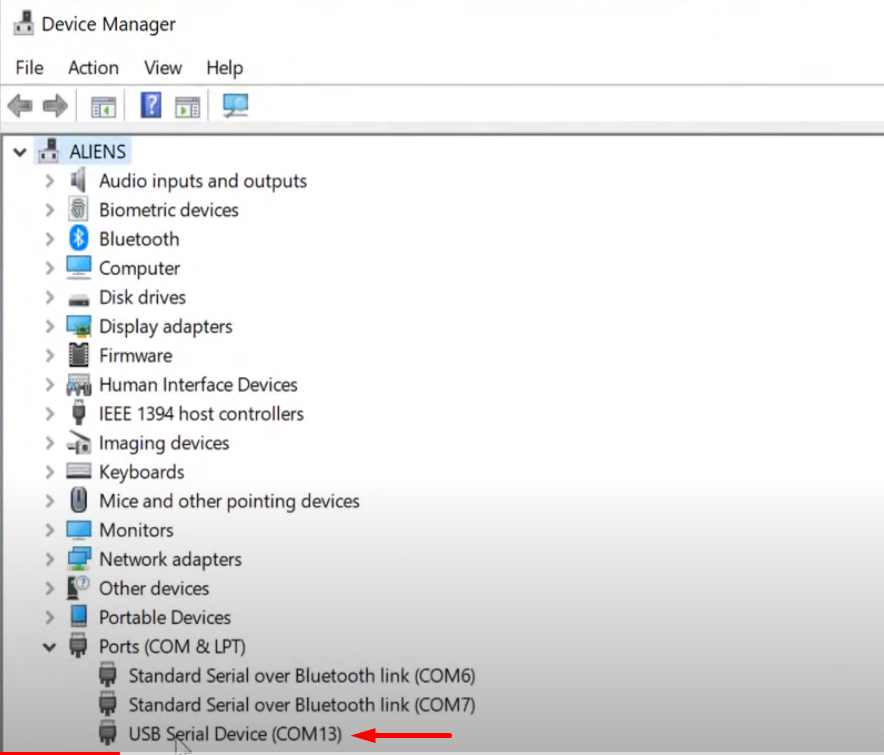
- On the Device Manager Window, head on to the “Ports” section. Check if your PC recognizes the Lane 5000 Pin pad. For the image below, it does not recognize the Lane 5000 Pin Pad.
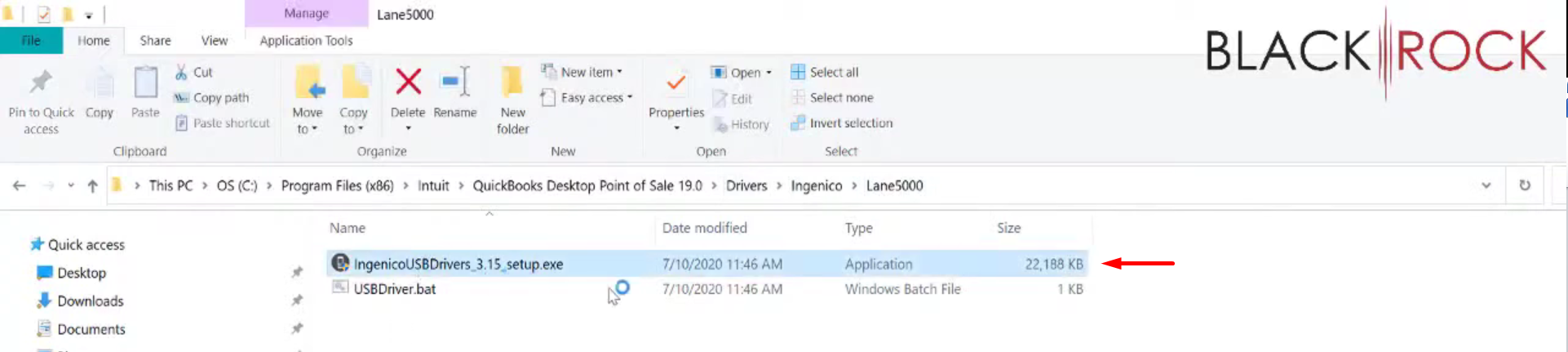
- If your PC does not recognize the Lane 5000 Pin Pad, open your windows explorer or file explorer. Follow the file path. Double click on the “ingenicoUSBDrivers_3.15_setup.exe”.
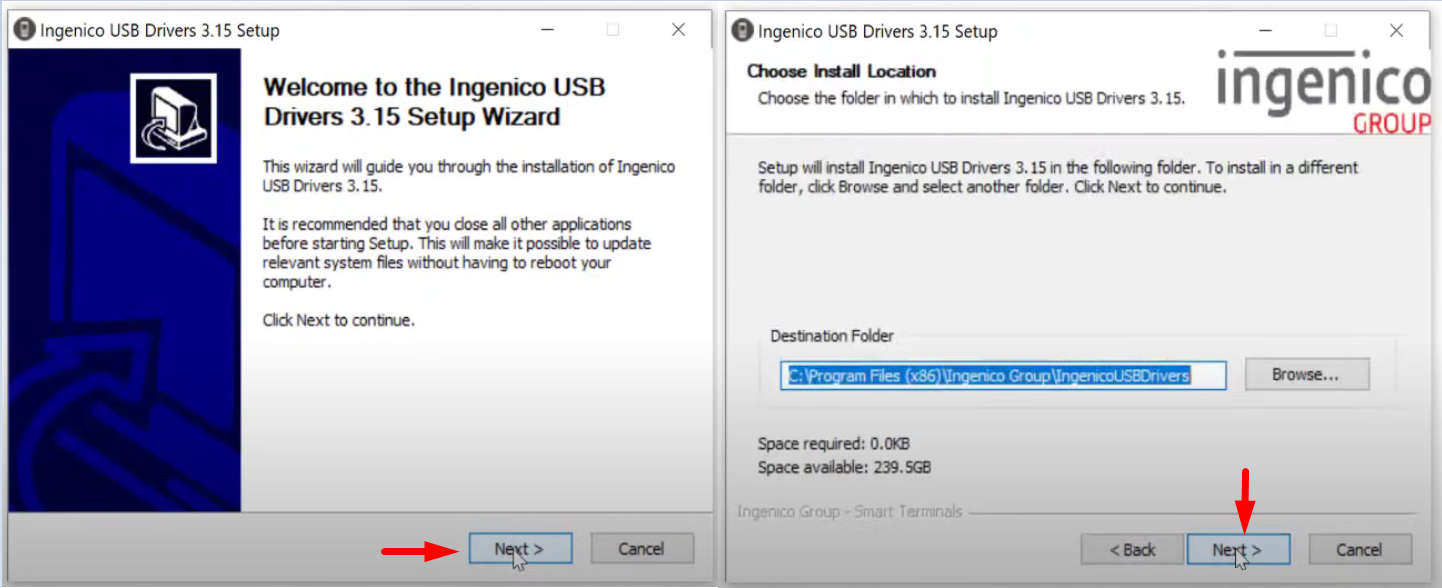
- As the setup wizard pops up. Click on “Next” two times.
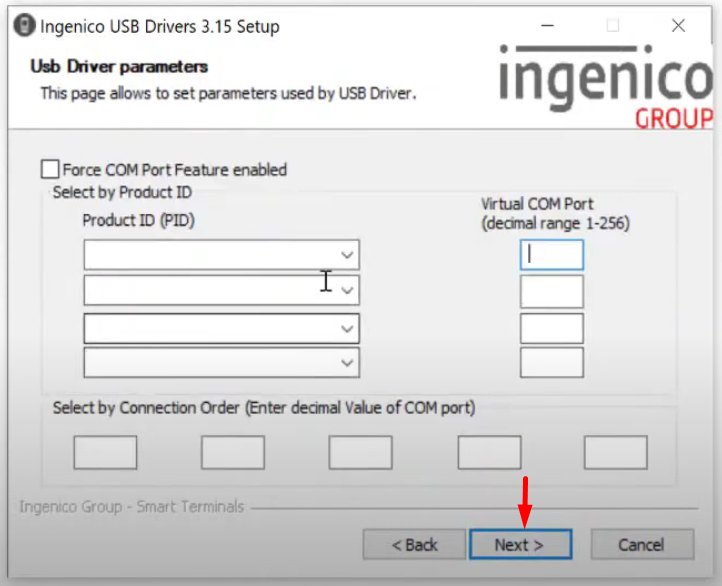
- This next window looks complicated but you can leave it blank and click “Next”.
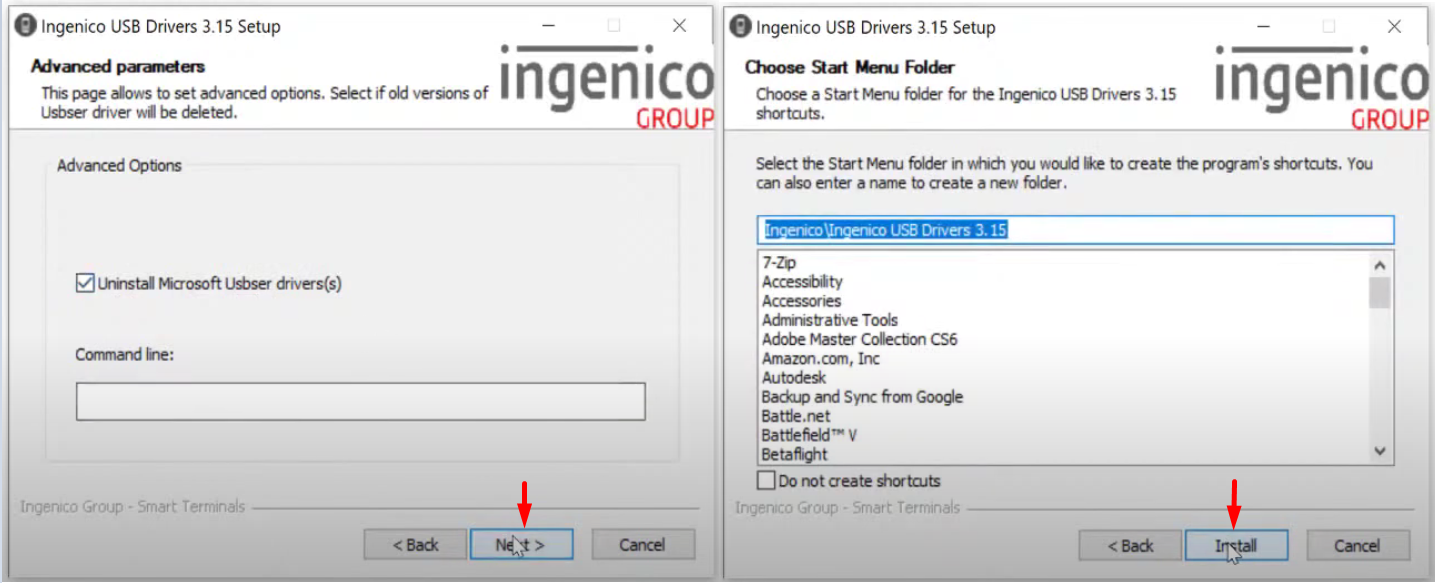
- You can uninstall “Microsoft Usbser driver(s)” or not. Then proceed to install the driver.
- After Installing the Driver, you can now see that your PC now recognizes the Lane 5000 Pin Pad.
