
Does QuickBooks POS Work On A Mac?
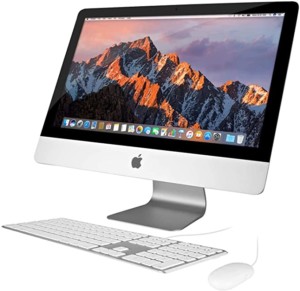 QuickBooks POS is a type of Point-of-Sale software that allows you to manage everything from inventory, purchase orders and customer information on your computer. QuickBooks POS has been around for over twenty years and has become the standard in the industry with nearly one hundred thousand companies relying on it. When paired with QuickBooks provides an easy way for business owners to keep track of their sales, inventory and customers in one place. QuickBooks POS software is not currently compatible with Mac OS. The company itself has never said that it can work on a Mac OS operating system. A couple of workarounds would be to try running it on Mac Parallels or to run a Windows Virtual Machine on your Mac.
What are the features of QuickBooks Point of Sale?
QuickBooks Point of Sale offers many features that can be beneficial for businesses, including easily keeping track of inventory levels and being able to reorder products as needed. You can quickly ring up sales and accept various payment methods (including credit cards and contactless payments). You can easily generate reports to help you make informed business decisions. Accessing customer information is a breeze with detailed and pertinent history.
QuickBooks POS is not currently compatible with Mac OS- here’s why
QuickBooks POS is not currently compatible with Mac OS because the software itself is programmed for the Microsoft Windows desktop operating system. Intuit has never said that it can work on a Mac OS operating system. However, there have been many advancements in recent years to help make certain pieces of software from Windows actually function on an Apple Computer. QuickBooks is a software that helps business owners keep track of sales, inventory and customers in one place- it’s important to have all three of these pieces working.
How to run QuickBooks POS on a Mac
There are a couple of ways that you can try to get QuickBooks POS running on your Mac. One would be to use Parallels, which is software that allows you to run Windows on your Mac. Another option would be to use a Windows Virtual Machine. QuickBooks POS is not currently compatible with Mac OS, but there may be some workarounds that can help you get the software up and running on your Apple computer.
What is Apple Parallels?
 Apple Parallels is software that allows you to run Windows on your Mac. This can be helpful if you need to use QuickBooks POS, which is not currently compatible with Mac OS. You can get a trial of Parallels from the website and then download a QuickBooks POS 30 day trial here.
How to set up QuickBooks POS in a Windows Virtual Machine
If you don’t want to use Parallels, another option would be to set up QuickBooks POS in a Windows Virtual Machine. You can do this by downloading virtualization software like VMware Fusion or Oracle VM VirtualBox. Then, you’ll need to create a new virtual machine and install Windows onto it. Once Windows is installed, you can then install QuickBooks POS. Just make sure you have the USB ports forwarded, so you can still use the barcode scanner and receipt printer.
 In conclusion, QuickBooks POS is not currently compatible with Mac OS because the software itself is programmed for the Microsoft Windows desktop operating system. Intuit has never said that QuickBooks can work on a Mac OS operating system, but there are some solutions to help you get it up and running on your Apple computer. Which solution did you try? Let us know! We’re here to answer any questions about Quickbooks POS features and how they might apply to your business needs.