
Today we will learn on how to inactivate vendors.
Here’s how:
- On the main screen, click on the “Vendor List” icon.
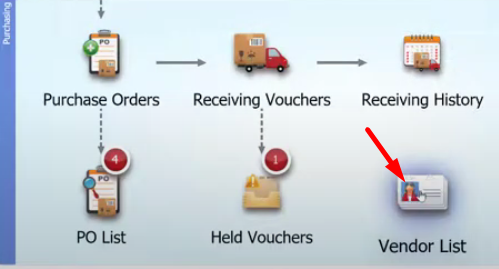
- On the list, select on the vendor that you would want to inactivate.

- Click on the “Edit” menu that is located on the upper right of the screen.

- Tick on the “Inactivate” option and click on “Save”.
