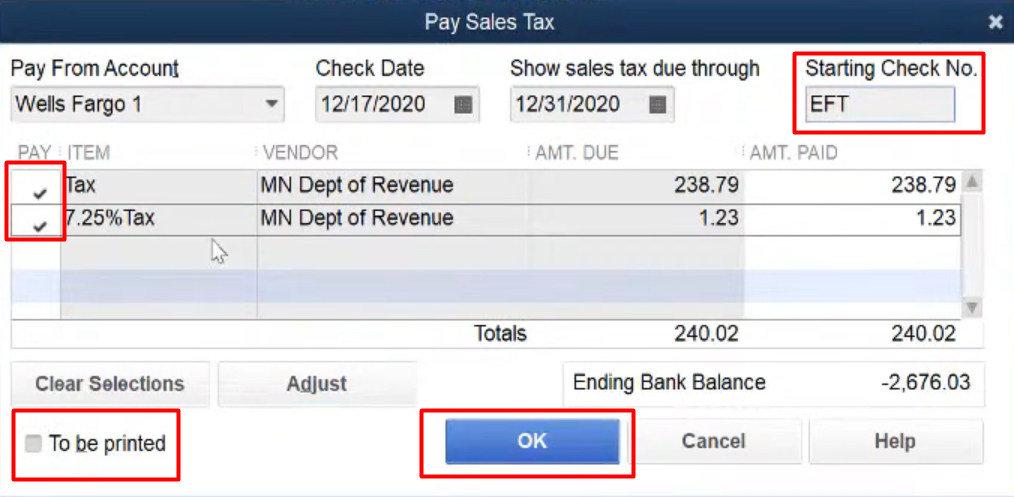
Today we are going to talk about how you would actually pay your sales tax.
Let’s begin:
- Go to “QuickBooks Accounting”.
- On your “Reports” menu, choose “Vendors & Payables” then select “Sales Tax Liability”.

- This is your Sales Tax Liability for the month of November 2020.
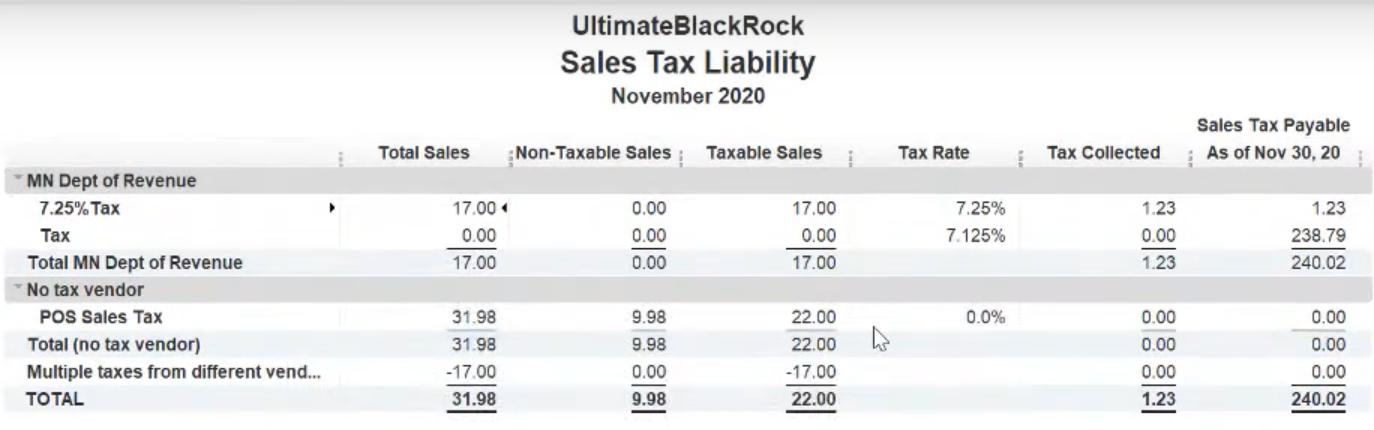
- You can select here the different dates for your Sales tax liability.

- You can select here the different dates for your Sales tax liability.
- Now, lets pay the tax for the month of November 2020. On your “Vendors” menu, choose “Sales Tax” then select “Pay Sales Tax”.

- On your Pay Sales Tax screen check the two items. Check the “To be printed” if you need the check to be printed. Then select “Ok”.

- If you’re paying online, check again the two items, then uncheck the “To be printed”, fill in your starting check number, then select “Ok” to record this payment.