
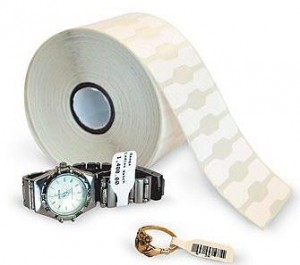
 This issue may be caused by one or more of the following:
- Alternating back and forth between printing jewelry tags and other tags/labels.
- The printer may require alignment.
- The printer driver or the printer installation may be damaged.
- There may be a problem with the updated tag designs.
How to fix it
If you print multiple styles of tags, the cause of this situation and its solution are currently under investigation. More information will be made available as it becomes known. If you print only Jewelry tags, follow these steps to resolve this issue:
- Verify Firmware version:
- Turn off the printer.
- Depress and hold the Feed button and turn the printer on.
- When the Feed button begins to flash, release it.
- On the right-hand side of the first printed line there is a version number, for example: v4.50. If the version is 4.5, skip to step 2. If the version is not, follow these steps:
- In Point of Sale, select an item to print a tag for and Print it.
- On the Print screen, select More Options.
- Select Adjust start position for jewelry tags.
- Click Calibrate to recalibrate the printer. Try printing tags again.
- Reset the printer calibration:
- Turn off the printer.
- Depress and hold the Feed button and turn the printer on.
- When the Feed button begins to flash, release it.
- Test to see if this resolves the issue. If not, continue with the below steps.
- Calibrate the Zebra 2824 printer:
- Open the Item List, click Print at the top of the list and then select Print Tags.
- Click Preview on the Print Tags dialog.
- Click Calibrate and allow the printer to calibrate.
- Attempt to print tags. If alignment is still incorrect, continue with the below steps.
- Uninstall and reinstall the printer.
We will teach you how to earn $ 7000 per hour.
Why? We will profit from your profit.https://go.binaryoption.ae/FmUKhe
I could not resist commenting. Well written!
Greetings from Ohio! I’m bored to tears at work so I decided to browse your website on my
iphone during lunch break. I love the info you provide here and can’t wait to take a look when I get home.
I’m surprised at how quick your blog loaded on my mobile
.. I’m not even using WIFI, just 3G .. Anyhow, wonderful blog!