
Today we will show you quickly how to switch company between single user mode and multi user mode.
Let’s begin:
- From your QuickBooks point-of-sale screen go to “FILE”, then click “Switch Company File to Single User Mode”.
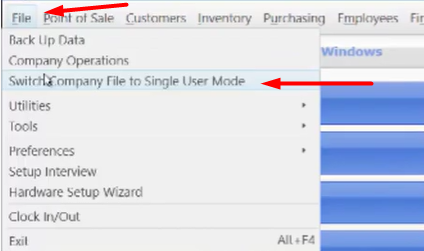
- On single user mode you can access QuickBooks point-of-sale on a single local computer only.
- Same goes to multi user mode. Go to “FILE”, then click “Switch Company File to Multi User Mode”.
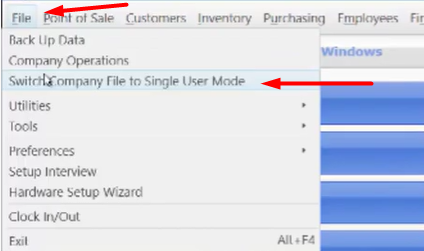
- While when you’re on a multi user mode other computers on your network can access your QuickBooks point-of-sale.
Tip:
- If you have multiple workstations and for some reason the other workstations are unable to access the main one a quick and easy way to restart the database manager in network mode is to switch to single user and then switch back to multi user mode.
- A lot of times this will actually fix some sort of glitch or error on your computer.