
Detailed Instructions
Version 9.0
- Select Edit.
- Select Preferences.
- Select Company.
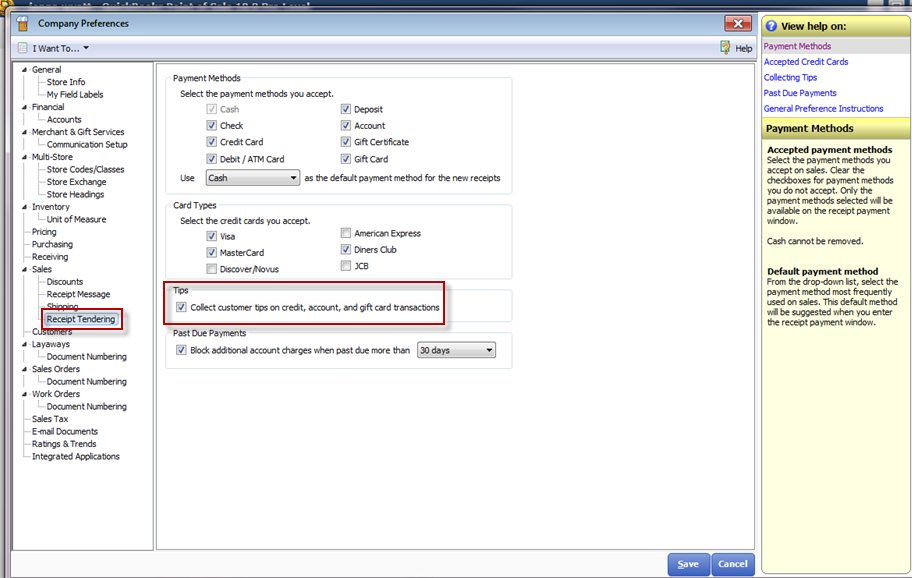
- Select Receipt Tendering under main category Sales.
- Check mark the box for Collect customer tips on credit, account, and gift card transactions.
Versions 10.0, 2013, and 12.0
- Select File.
- Select Preferences.
- Select Company.
- Select Receipt Tendering under main category Sales.
- Check mark the box for Collect customer tips on credit, account, and gift card transactions.
Version 2013 and v12.0
- Select File.
- Select Set Up Interview.
- Select the Payments tab.
- Select Edit Settings.
- Select “Allow my customers to include tips on Credit Card payments.”
- Select Done.
