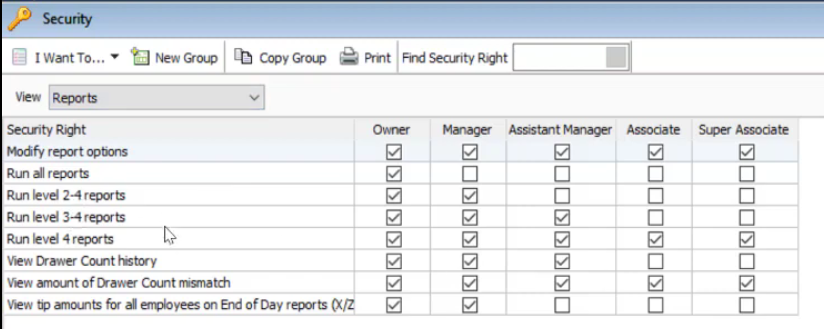
Today’s topic is going to be about Report Security Access Levels. We’re going to learn how to view and change each report’s security access. That way you can get familiar with report levels and what group can view corresponding report levels and also manage reports levels on specific reports that you want to give access to a certain group users in QuickBooks Point of Sale.
So let’s start:
- Go to “Reports” then click on “Report Center”.

- Click on “All Reports” tab and open a report.

- On the report, click on “Modify”.
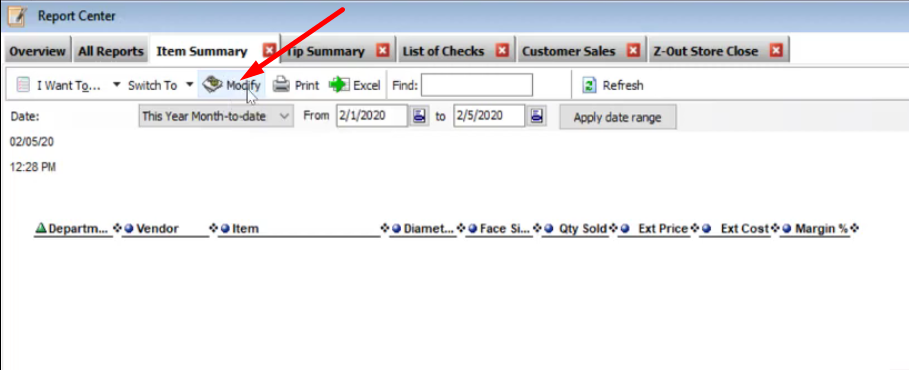
- In the Modify Window, select on “Set Report Access Level”.

- This will show you what Report Security Level the Report is at. You can modify and change certain report’s security level as long as you are the Owner or System Admin of the account. At default the report is at level 3.

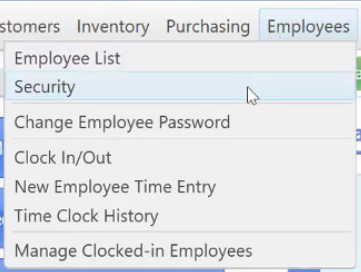
- So now you can go to “Employees” menu and then click “Security”.
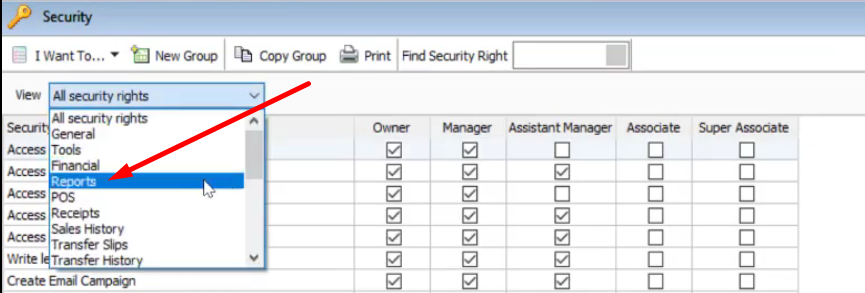
- In the Security window, select to view “Reports”.
- This will give you a self-analysis on who can see those different repot levels.