
Reports Overview is a very vast topic. Today we will take a look at an overview of reporting. We will see here different kinds of reports, see old records, and how to modify you’re report.
Let’s begin:
- On the “Reports” menu click “Report Center”.
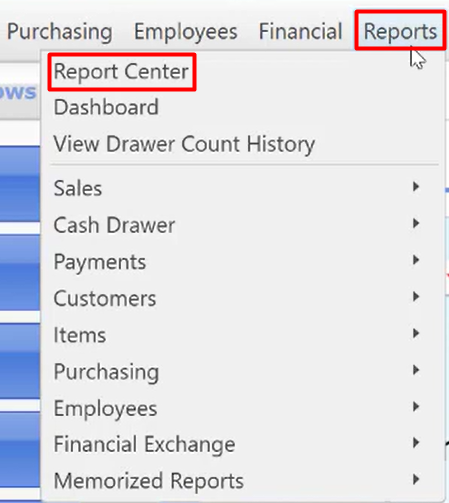
- Report center will appear, you’re in “Overview” menu.
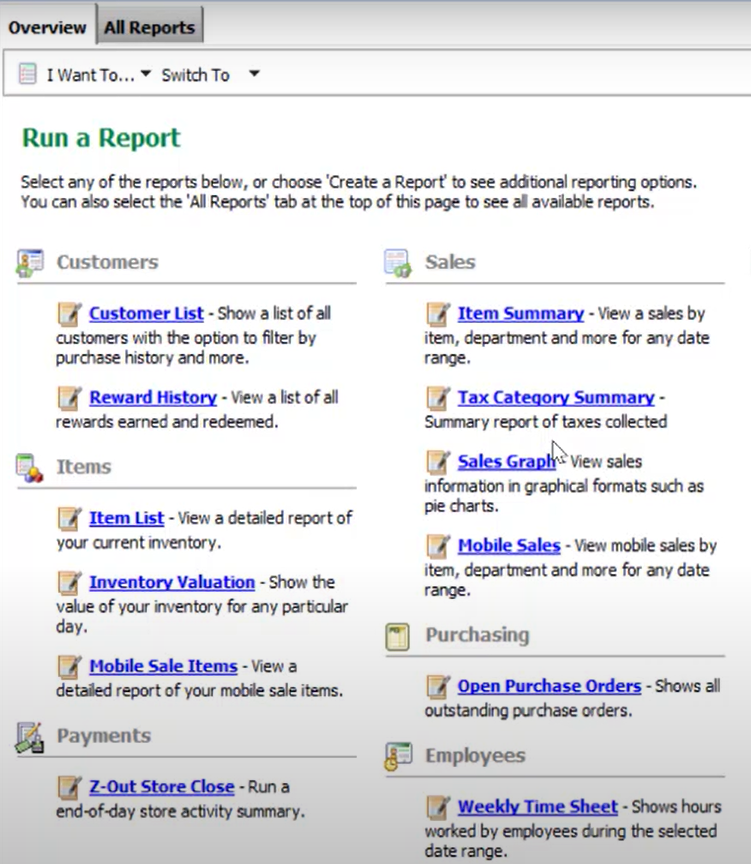
- This is the most used reports.
- It sorts here on what kind of reports you want to see. For example, you want to run a report about your customer you’ll see here the Customer List report and Reward history report about your customer.
- A brief description of the information you want to choose in Overview page.
- Now click “All Reports” in your report center menu.
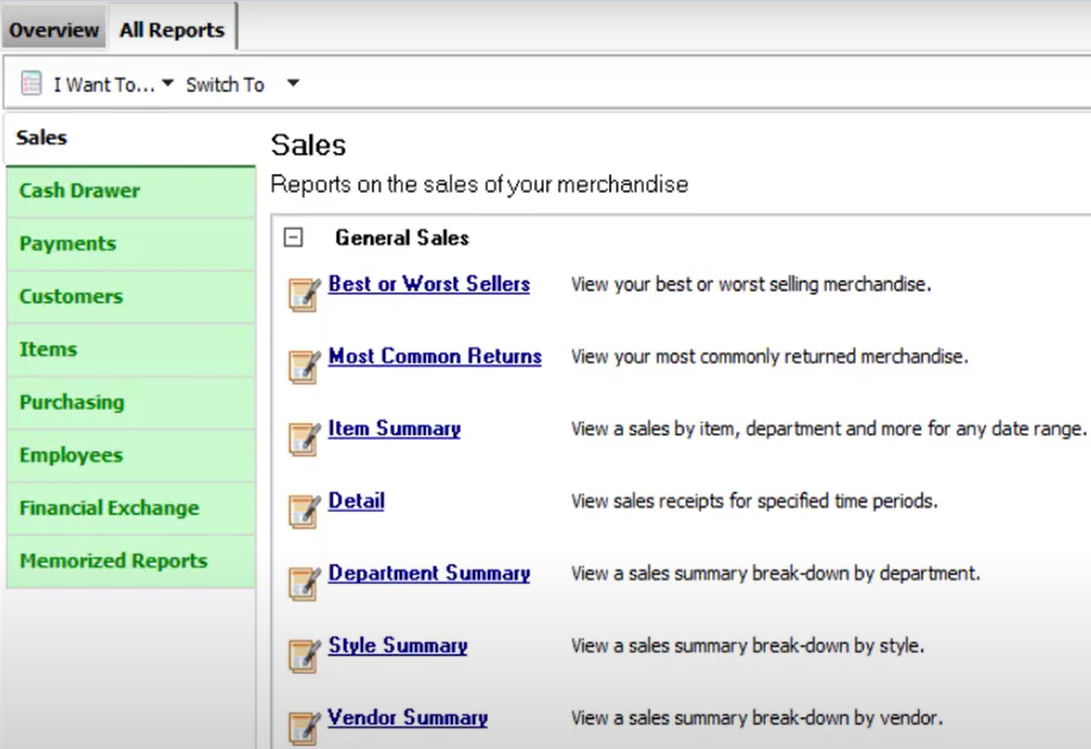
- All Reports page of the Report Center, you can select a report, category, type, and then a specific report.
- A brief description of the information contained in the report is displayed to help you choose.
- Once you’ve located the report you need, you can click “Display” to run it.
- Cash drawer – run X/Z-Out reports, including register status, drawer count and closing reports, as well as listing of cash drawer payouts.
- Payments – view summarized reports of sales payments by type.
- Customers – print or export customer lists and analyzed sales by demographics, customer type, or promotional codes.
- Items – track inventory item, quantities, and costs, including merchandise on hand or on order, reorder points, and adjustments, and in a multi-store configuration, transfers and inventory by store.
- Purchasing – view employee lists, sales performance, and tips collected.
- Employees – view employees list, sales performance, and tips collected.
- Memorized reports – view and access all reports you have created and memorized.
- Just a quick view on how reports work, click “Item Summary”.
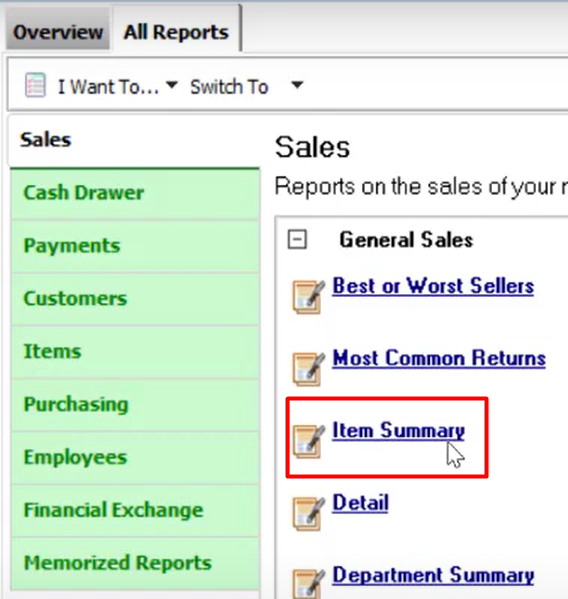
- On your item summary click “Modify”.
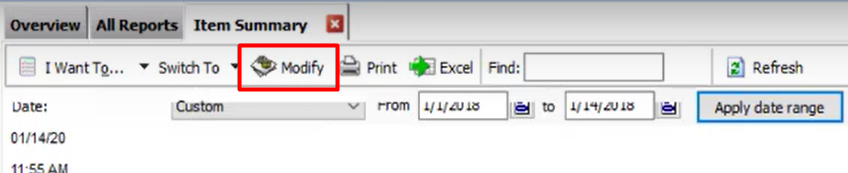
- Modify a report screen will appear.
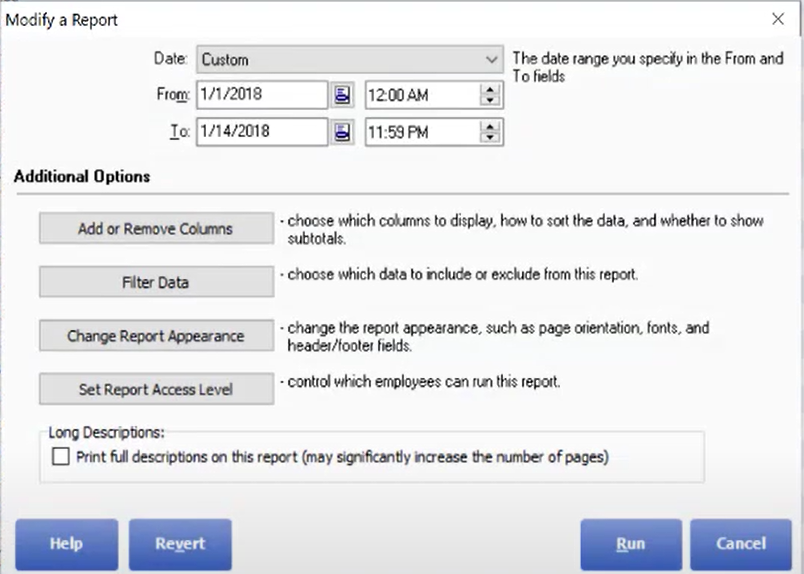
- You can modify a lot things about your report here.
- A brief description on the things you want to modify.
- You can add or remove columns.
- Filtering your data.
- You can also change your report appearance.
- Setting your report access level.
- You may also Revert you report and set a new date to show you a new or old report from your POS.