
Today we’re going to talk about your license number and where you can find it if QuickBooks Point of Sale is not responding. When calling for a technical support they would mostly ask for your License Number. So we’re going to obtain our license number without using QuickBooks Point of Sale.
Here’s how:
- Open your Windows File Explorer by pressing “Windows” key + “E”. Before we locate the file needed, make sure to check on all the “Hidden Files” by clicking on “View” tab and then check “Hidden Items”.
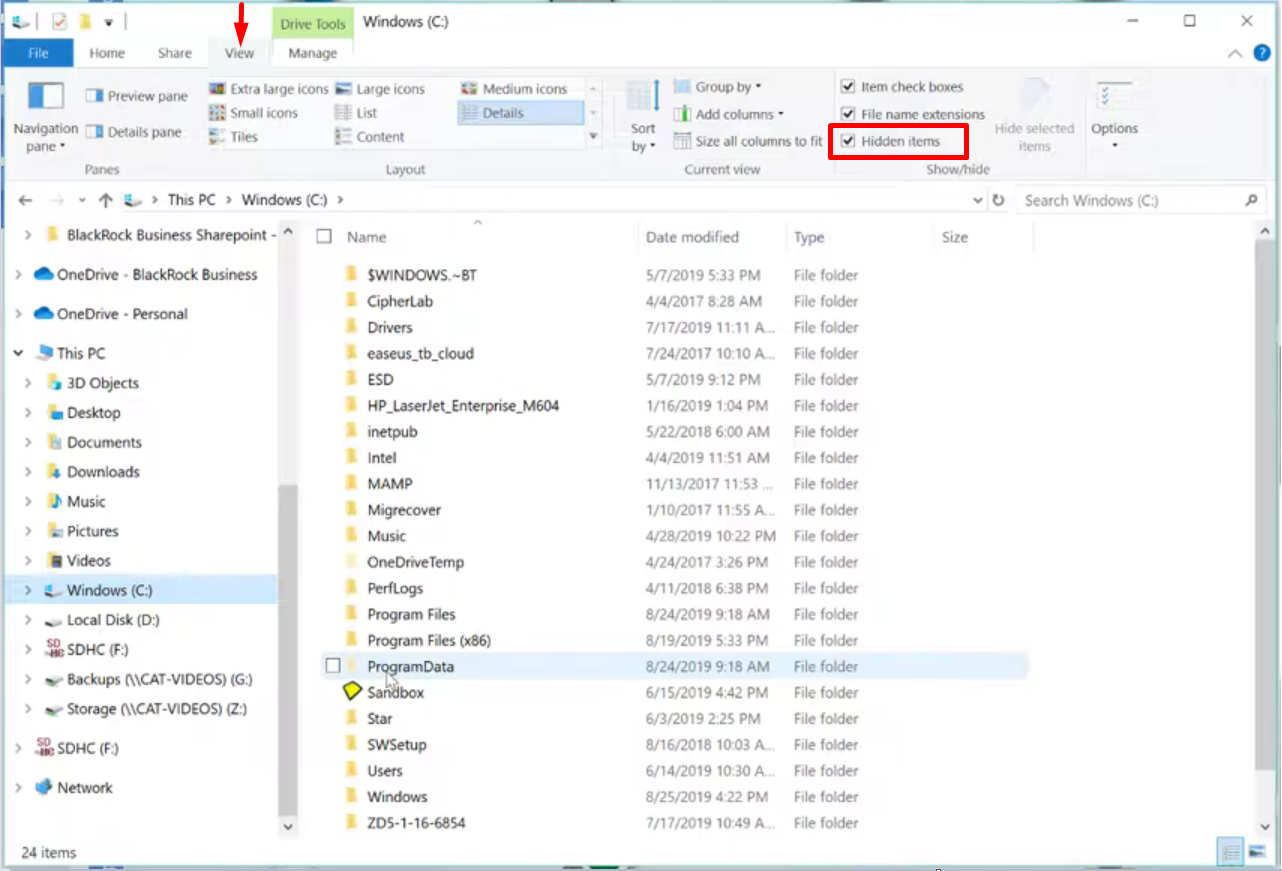
- If all hidden files are visible follow the file path of the image below.

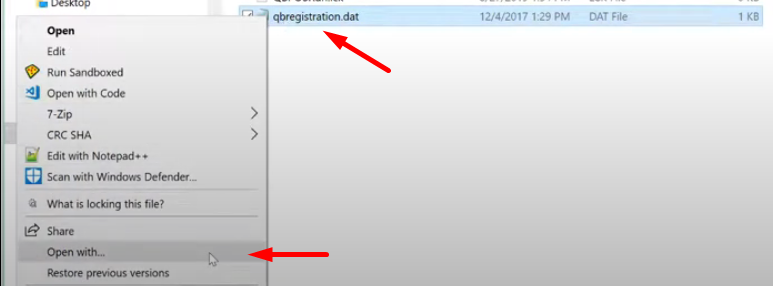
- Under your QuickBooks Desktop Point of Sale folder, search for the file “qbregistration.dat”. Right-click on the file and select “Open With”. Select Notepad as the application to use for opening the file.
- Once it has been open you can now view your License number and other information about your QuickBooks Point of Sale.
