Today we are going to briefly and quickly cover what types of information you can export out of QuickBooks Point of Sale.
Here’s how:
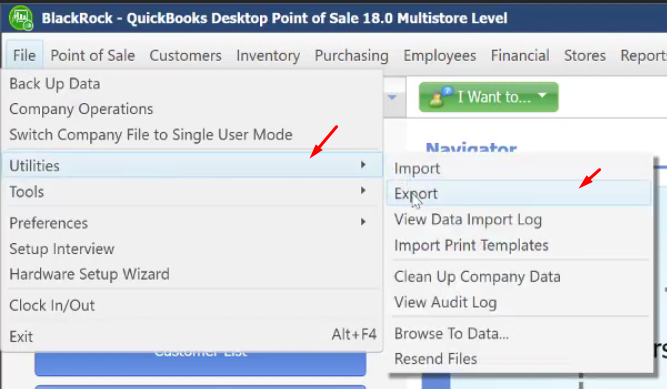
- On the main screen, click on “File” menu and select on “Utilities”. Click on “Export”.
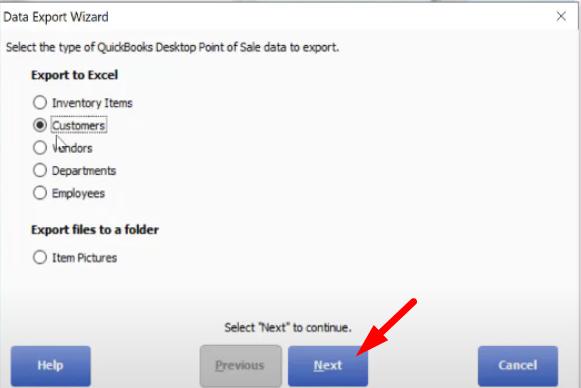
- A new window will pop up, select the type of data that you want to export. You can also have the picture of items exported to a folder in your computer. Once you have selected the options that you want, click on the “Next” button.
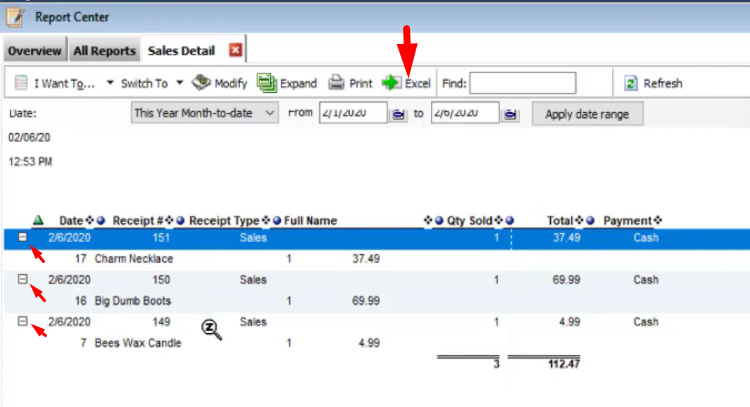
- Now if the type of file that you want to export is not on the list, go back to the Main Screen and click on the “Reports” menu. Select “Sales” and click on “Detail”.
- Tick on the files that you want to export and click on “Excel”, that will help you easily export the files that you need.